
The honest answer
You can't delete a Google review just because it's negative, harsh or unfair. There's no delete button for owners. What you can do is report a review, and Google removes it only if it breaks Google's prohibited and restricted content policy.
That policy is specific. Google says plainly that it allows “content that describes negative experiences in a respectful manner.” A customer who had a slow, disappointing lunch and says so is allowed to say so, even if you remember the day differently. Google's own guidance for owners is not to report a review just because you disagree with it or don't like it, and that Google doesn't step into disputes between businesses and customers.
Google makes the final call on every report. Nobody else can remove a review for you: not your web designer, not a marketing agency, and not a paid “review removal service”. Anyone who guarantees a removal is promising something only Google can decide, so be wary of them.
The good news is that a lot of the reviews owners worry about most, like fake reviews, reviews from competitors or ex-staff, and abusive ones, are exactly what the policy covers. And when a review doesn't break a rule, a calm public reply usually does more for you than removal would.
Not sure if your review breaks a rule?
Paste it into our free removal checker. It reads the review against Google’s rules for reviews, tells you honestly whether it looks worth reporting and which reason to pick, and writes two calm replies you can post either way. It’s our opinion on the words; Google makes the final call.
Check a review for free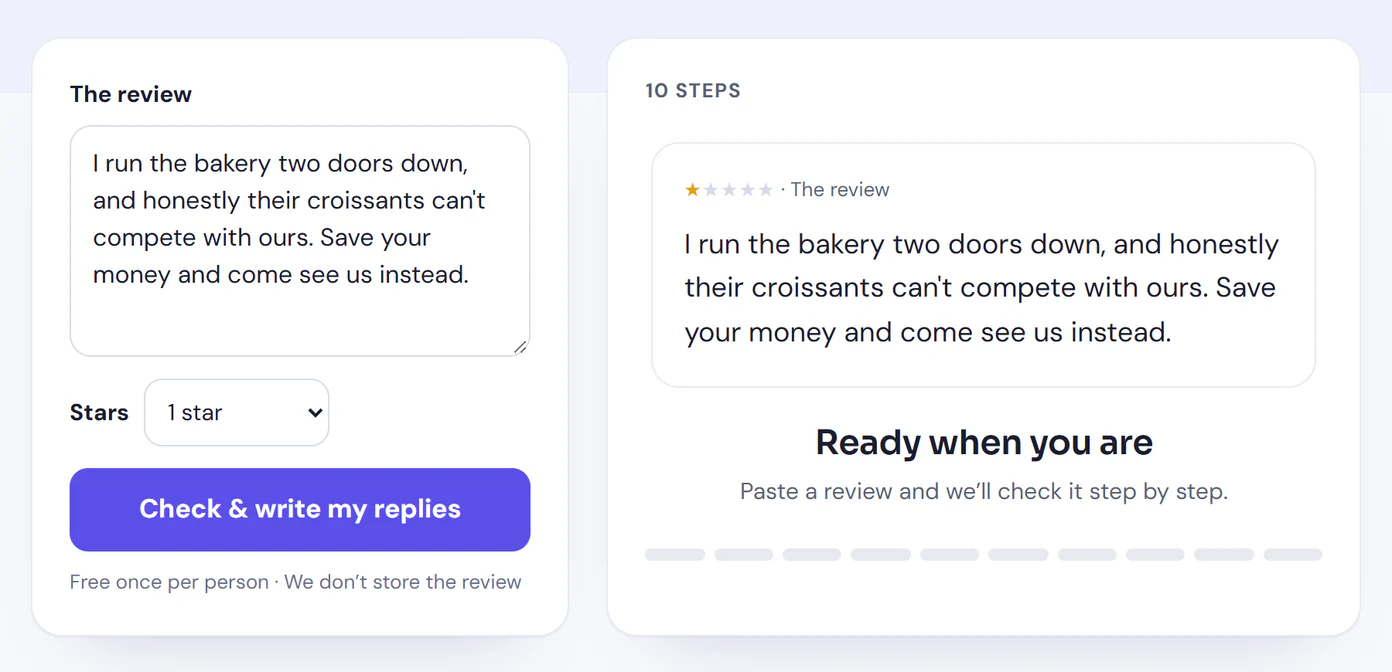
Which reviews Google will remove
Google's policy for content on Maps, which covers reviews on your Business Profile, lists what isn't allowed. Here are the parts that matter most for reviews, in plain English, each with a made-up example. The policy page has the full wording.
Fake engagement
Reviews that aren’t based on a real experience, or that were paid for, directly or in kind.
For example: Ten five-word reviews in one afternoon from brand-new accounts, all praising the same dish.
Conflicts of interest and rating manipulation
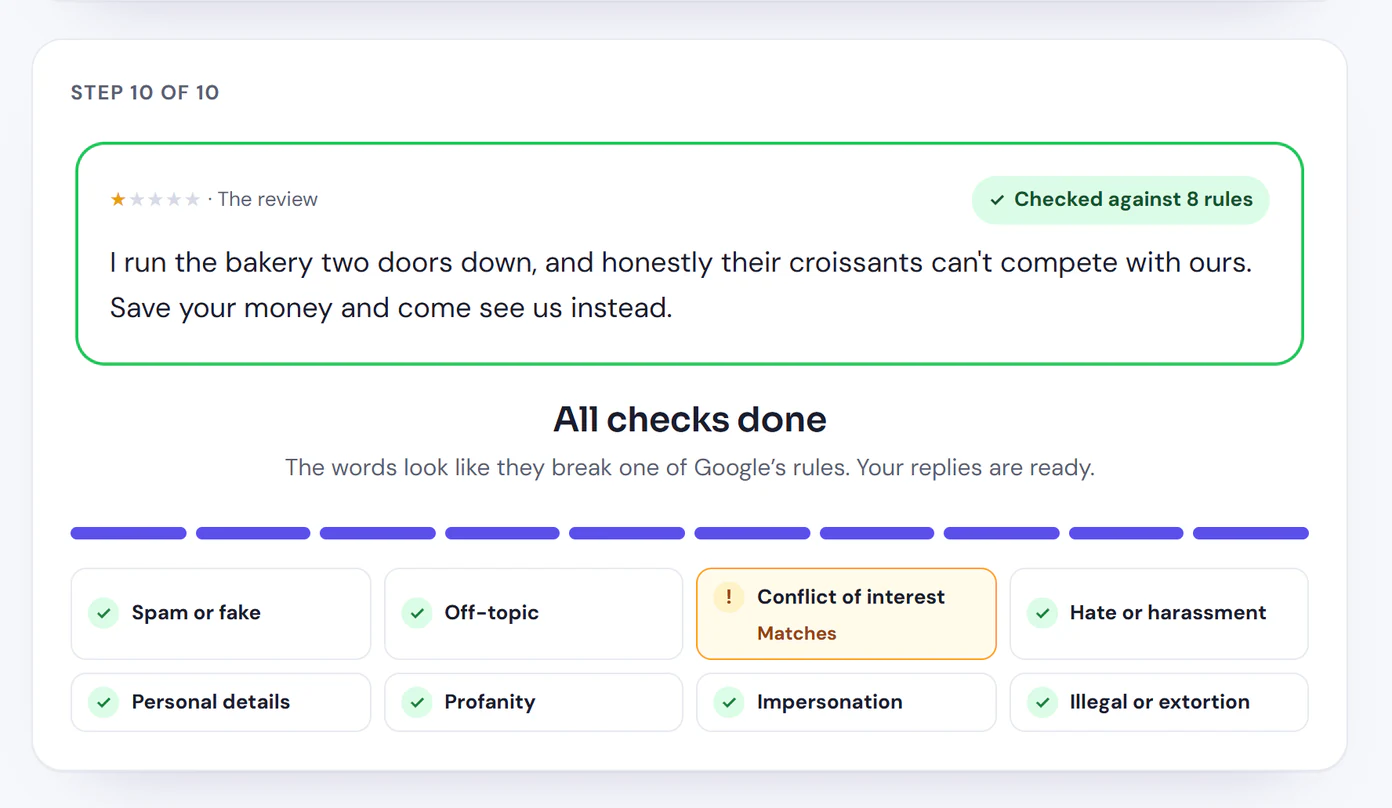
Reviews from people with a stake in the business, which Google says includes current or former employment, contractual relationships, family ties and industry competitors. Reviews posted because a business offered an incentive also count.
For example: “I run the bakery two doors down, and honestly their croissants can’t compete with ours.”
Off-topic
Content that isn’t based on an experience at that place, such as general political or social commentary, or a personal rant.
For example: A one-star review about a city council decision, posted on a café’s profile.
Advertising and solicitation
Reviews used to advertise or solicit, including email addresses, phone numbers, social media links or links to other websites.
For example: “Way better prices at my shop, call 555-0142.”
Harassment, hate speech and offensive content
Threats of harm, harassment, hate speech against protected groups, and unsubstantiated allegations of unethical behavior or criminal wrongdoing.
For example: A review that names a staff member and threatens them, or accuses the owner of a crime with nothing to back it up.
Personal information
Details about a living, identifiable person whose disclosure could put them at risk, posted without their consent.
For example: A review that posts a server’s home address or personal phone number.
Obscenity, profanity and sexually explicit content
Profanity or obscenity used to offend or to emphasize criticism, and sexually explicit content.
For example: A review that is mostly swearing at the staff.
Impersonation
Pretending to be another person, group or organization.
For example: A review written as if it came from the owner, or from someone else entirely.
Restricted and dangerous content
Promotions for restricted goods and services such as alcohol, tobacco, gambling or guns, and content that encourages serious harm.
For example: A “review” that links to a site selling cigarettes.
Repetitive content
The same content posted more than once, from one account or several.
For example: The same angry paragraph, posted word for word from three different accounts.
What usually stays up
Reviews that are negative but honest. A low rating with no text. A complaint about prices, wait times or a rude moment, told without threats, slurs or private details. A review you think is exaggerated. These hurt, but they don't break a rule, and reporting them is unlikely to change anything.
Google also uses automated spam detection to take down reviews that probably break its rules, so some fake reviews disappear without anyone reporting them.
Check your review against these rules
The checker goes through the same rules, points to the exact words that matter, and asks a few questions only you can answer, like whether the reviewer works for a competitor. It never promises a removal, because only Google can decide that.
Open the free removal checkerHow to report a review, step by step
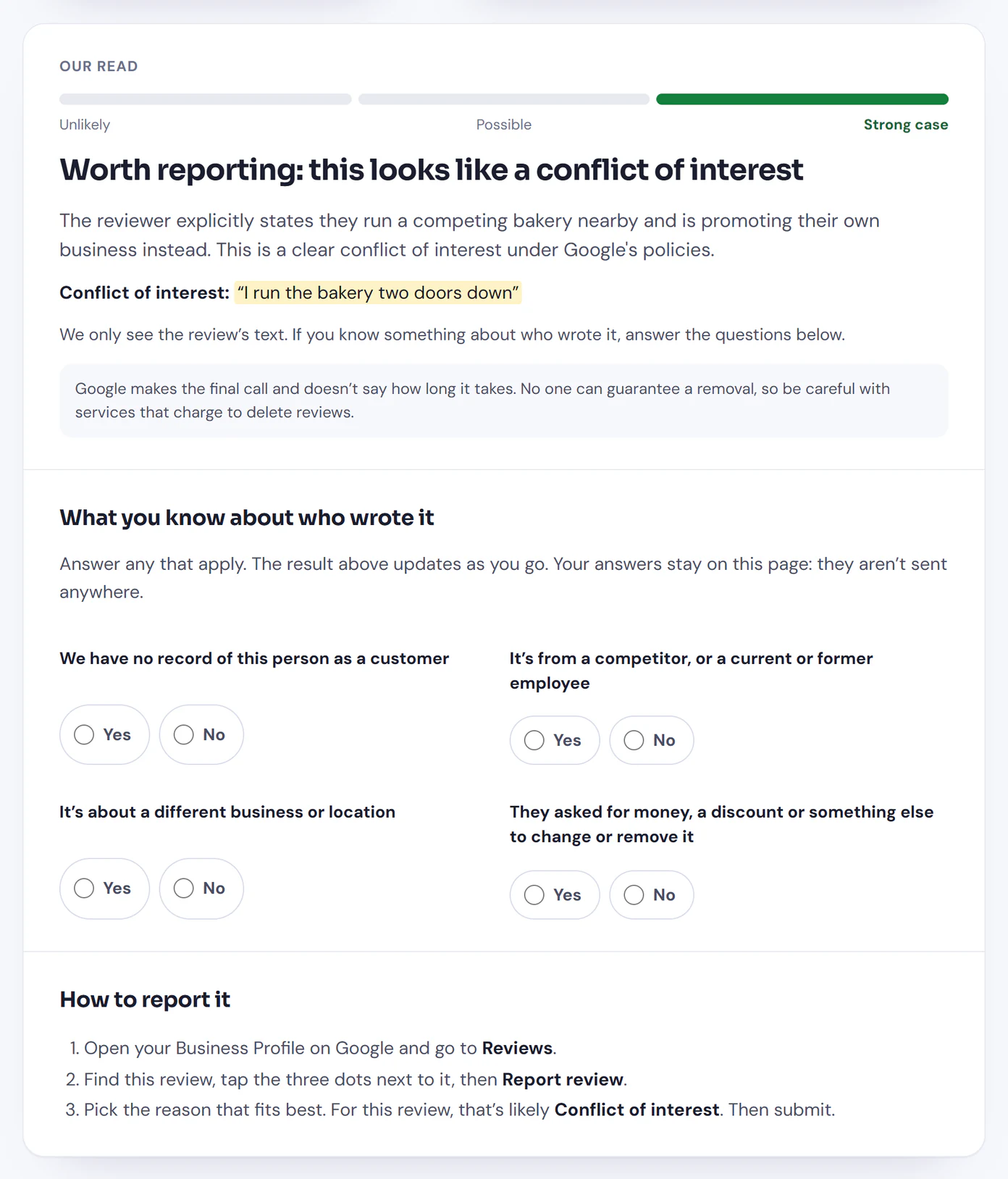
Report each review once, with the reason that fits best. As the owner, the simplest place to do it is your Business Profile. These steps follow Google's help article, Report inappropriate reviews on your Business Profile.
From your Business Profile (on Google Search or Maps)
- Sign in with the Google account that manages your business and go to your Business Profile.
- Select Read reviews.
- Next to the review, select Report.
- Choose a reason, such as Spam or Profanity.
- Select Send report.
From Google Maps on a computer
- Go to Google Maps and search for your business by name or address.
- Select your business, then open its Reviews.
- Scroll to the review.
- Open the three-dot menu next to it and choose Report review.
- Complete the form and submit it.
From the Google Maps app on your phone
- Open the Google Maps app and search for your business.
- Select it, then swipe until you reach the reviews.
- Tap the review, then the three-dot menu, and select Report review.
- Complete the form and tap Submit.
The Maps steps come from Google's Report or fix content page. Menus move around from time to time, so if a button has a slightly different name, look for the report or flag option next to the review.
Choosing the right reason
Pick the reason that matches the rule the review breaks, not the one that sounds most serious. A review from the owner of a competing business is a conflict of interest. A review about a different business, or about the news, is off-topic. A review full of swearing is profanity. The right reason helps Google see the problem quickly.
Check the status, and appeal once
Google says review evaluation typically takes several days. You can follow your reports in Google's Reviews Management Tool. Sign in, pick your business, and you can report a new review or check on ones you've already reported. Each report shows one of these statuses:
- Decision pending: Google hasn't looked at it yet.
- Report reviewed - no policy violation: Google decided the review doesn't break its rules, so it stays up.
- Escalated - check your email for updates: your appeal is with Google, and the final decision will come by email.
If Google decides a review doesn't break its rules and you think it does, you can submit a one-time appeal from the same tool: choose the option to check the status of a review you reported, then appeal the eligible reviews. You can include up to 10 reviews in one appeal. If Google finds a violation, the review is removed. If not, it stays.
You only get one appeal, so use it well. Before you send it, re-read the policy and make sure you can point to the rule the review breaks and the words in it that show it.
If someone is demanding money, or the review is unlawful
Extortion: reviews used to demand payment
Google describes a scam where a business suddenly gets a wave of 1- and 2-star reviews, and then someone demands money, goods or services to remove them. If that happens to you, don't pay and don't negotiate. Google says paying can encourage more attempts and doesn't guarantee the reviews are removed. Collect screenshots of the demands with dates and contact details, and the links to the reviews, then use the form in Google's article on negative review extortion scams. Google says that form is only for cases where you've received a demand; report other bad reviews the usual way.
Legal removal requests, such as defamation
Reporting a review checks it against Google's policy. If you believe a review breaks the law, for example because it's defamatory, that's a separate route: Google says users can report Maps content they believe violates local law (see Legal removals), using its legal removal request form. Link to the exact review, explain specifically what's unlawful about it, and expect an email confirmation with a reference number. Whether a review is defamatory depends on the law where you are, so if you're considering this, it's worth talking to a lawyer first.
What not to do
- Don't offer anything to change or remove a review. Google's policy doesn't allow businesses to offer incentives, like money, a discount or a freebie, in exchange for a review, or for revising or removing a negative one. If you fix the problem, do it with no strings attached.
- Don't pressure the reviewer. Google doesn't allow businesses to discourage negative reviews. Put things right and let them decide whether to update their review.
- Don't review-gate. Asking only happy customers for reviews breaks the same rule: Google doesn't allow businesses to selectively ask for positive reviews. Ask everyone.
- Don't pay a removal service. Only Google can remove a review, and no one can guarantee it will. A service can file the same report you can file yourself, for free.
- Don't bury it with fake reviews. Reviews from friends, family or staff, or reviews you've paid for, break the fake engagement and conflict of interest rules, and they can be removed too.
- Don't flag it over and over. Report it once with the right reason, then use the one-time appeal if you need to. Google tells people to report only content that breaks its policies.
- Don't organize a mass-flagging. Asking staff, friends or customers to report a review you don't like doesn't make it break a rule, and it isn't what reporting is for.
When the review stays up: reply calmly and publicly
Most negative reviews stay up, and that's OK. The people who read your reviews are mostly future customers trying to decide whether to visit. A one-star review with a calm, thoughtful reply under it often reassures them more than a perfect score would, because it shows how you behave when something goes wrong.
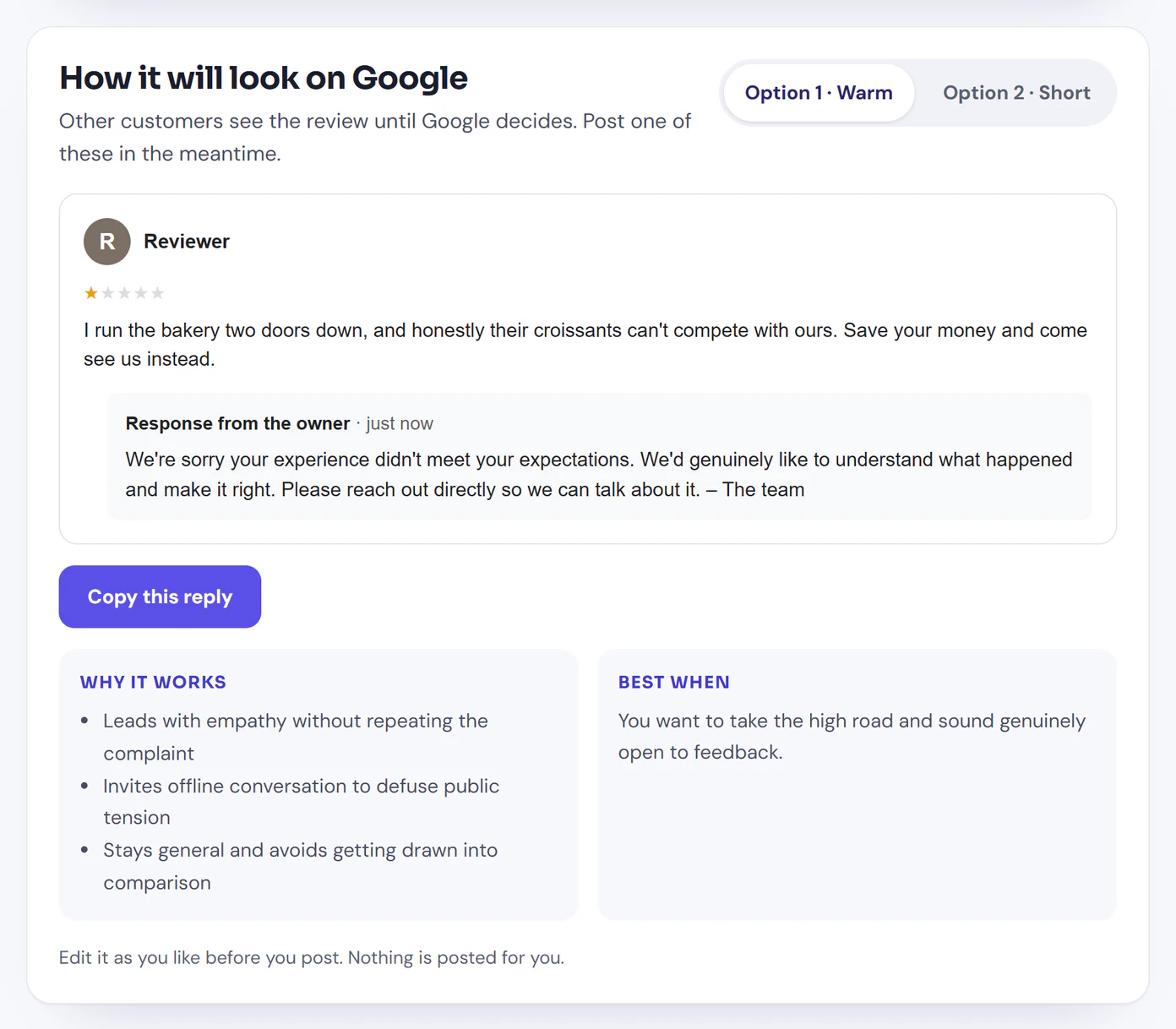
Google's own help on managing customer reviews says replying shows customers that you value their feedback, and the reviewer is notified when you reply. A good reply to a review you think is unfair:
- Thanks them, or acknowledges how they felt, without agreeing to every detail
- States facts gently if you must, and never calls the reviewer a liar
- Keeps private details private, even if the reviewer shared them
- Offers a way to talk directly, by phone or email
- Is short, and signed by a real person
If you've reported the review, reply anyway while Google decides, and don't mention the report. For a step-by-step method and eight example replies, read how to respond to negative Google reviews. For fill-in-the-blank versions, including one for a review you think is fake, see our Google review response templates.
Common questions
Can I delete a bad Google review?
No. A business owner can’t delete a review from their Business Profile. You can report it, and Google removes it only if it breaks Google’s content policy. An honest, respectful account of a bad experience stays up, even when it feels unfair.
How long does Google take to remove a review?
Google says review evaluation typically takes several days. You can follow the status of your report in Google’s Reviews Management Tool. Google doesn’t promise a timeline beyond that.
Can I remove a fake Google review?
You can report it. Google’s policy doesn’t allow reviews that aren’t based on a real experience, so report it with the reason that fits, such as spam or conflict of interest. Not finding the reviewer in your records isn’t proof on its own, so reply calmly as well.
Can a business pay to remove Google reviews?
No. Only Google can remove a review, and nobody can guarantee that it will. Be wary of services that charge to delete reviews. If someone is demanding money to take reviews down, Google treats that as an extortion scam and has a form to report it.
Can I report a review from a competitor or a former employee?
Yes. Google’s policy lists current or former employment and industry competitors as conflicts of interest. Report the review and choose the reason that matches.
What if Google won’t remove the review?
If your report comes back as no policy violation, you can submit a one-time appeal through the Reviews Management Tool. If the review still stays up, reply to it calmly and publicly. If you believe it breaks the law, for example defamation, Google has a separate legal removal request.
Should I reply to a review I’ve reported?
Yes. Customers can read it until Google decides, and a short, polite reply shows them how you handle problems. Don’t argue about the facts in public, and don’t mention the report.
Check a review before you report it
Paste the review into our free checker for an honest read against Google’s rules, the reason to pick if it’s worth reporting, and two replies to post either way. Free once, no sign-up. Google still makes the final call.
Try the free removal checkerReply to every review, in your voice
Your first 10 replies are free, with no credit card. Then $15 per location per month, or $150 per year.
Start free